

Pegasus Astro Digital Temperature Sensor for DewMaster 2
Ships by Next Business Day
Contiguous US Customers:
All items we sell ship for free within the Contiguous US. Shipping will be via the cheapest shipping method which will vary depending on the items in your order. During checkout, you may also be shown other optional faster shipping choices.
US Customers in Hawaii and Alaska:
Free shipping applies to almost all products. A few large telescopes and mounts are excluded from this free shipping offer. For these items, please contact us to obtain a shipping quote before you check out using the online shopping cart.
International Customers:
Free shipping does not apply to international orders. During check-out, you will be presented with several shipping choices and costs. However, the export of some items may be restricted outside the US due to size or manufacturer restrictions.
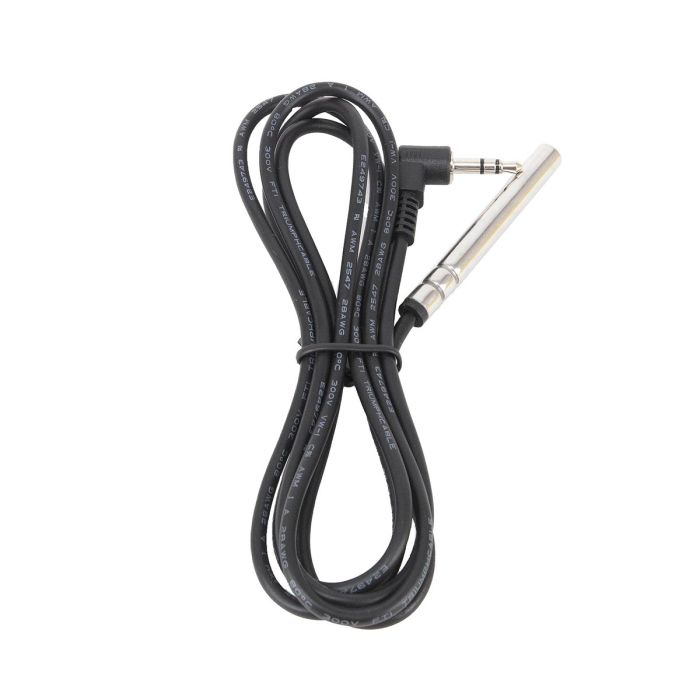
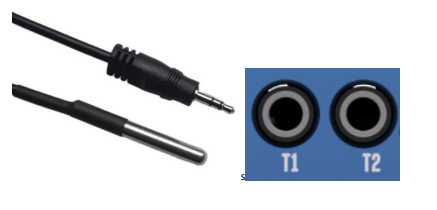
This optional temperature probe sensor (sold individually) is available for use with the Pegasus DewMaster 2 and can be connected to the T1 and T2 temperature probe sockets on the side of DewMaster 2. These probes can be mounted on the telescope hood to monitor the optic cell’s temperature or on the dew bands to measure their temperatures. Using these readings alongside the ambient temperature, the device intelligently adjusts the heater power to prevent dew formation, ensuring optimal seeing conditions remain uninterrupted.
Setup and Operation
The following instructions are from page 7 of the DewMaster 2 manual:
- Clip the provided environmental sensor to the EXT port.
- Plug this temperature probe into T1 and T2 sockets (optional).
- Insert the 2.1mm plug into the DC power cable. The controller will initialize and the status LED will turn solid red after a second. The OLED screen will instantly show the splash logo of the DewMaster2 device. After a few seconds, the device boots fully and shows the Dew Power Control screen.
- If the environmental sensor is connected and detected by DewMaster2, the OLED display will recycle each screen every 10 seconds showing “Dew Power Control” or “Env Conditions”.
| Product Banner Type | new |
|---|---|
| Free Shipping Graphic | Free US Shipping |
| Hide Found a better Shipped Price on Frontend? | No |
This optional temperature probe sensor (sold individually) is available for use with the Pegasus DewMaster 2 and can be connected to the T1 and T2 temperature probe sockets on the side of DewMaster 2. These probes can be mounted on the telescope hood to monitor the optic cell’s temperature or on the dew bands to measure their temperatures. Using these readings alongside the ambient temperature, the device intelligently adjusts the heater power to prevent dew formation, ensuring optimal seeing conditions remain uninterrupted.
Setup and Operation
The following instructions are from page 7 of the DewMaster 2 manual:
- Clip the provided environmental sensor to the EXT port.
- Plug this temperature probe into T1 and T2 sockets (optional).
- Insert the 2.1mm plug into the DC power cable. The controller will initialize and the status LED will turn solid red after a second. The OLED screen will instantly show the splash logo of the DewMaster2 device. After a few seconds, the device boots fully and shows the Dew Power Control screen.
- If the environmental sensor is connected and detected by DewMaster2, the OLED display will recycle each screen every 10 seconds showing “Dew Power Control” or “Env Conditions”.
| Product Banner Type | new |
|---|---|
| Free Shipping Graphic | Free US Shipping |
| Hide Found a better Shipped Price on Frontend? | No |

Pegasus Astro Digital Temperature Sensor for DewMaster 2 # PEG-TEMP-SENS